Tag: Virtualization

  • What Is a Firewall? A Simple Explanation for Beginners

    A firewall is a security system that controls the network traffic entering or leaving a device, server, or network. Its main job is to protect your system from unwanted access, cyberattacks, and malicious activities by allowing only safe and approved connections.

    Think of a firewall as a security guard—it checks every “visitor” (data packet) and decides whether to allow or block it based on rules.

    Why a Firewall Is Important

    1. Protects Against Unauthorized Access

    Firewalls block attackers who try to break into your network or servers.

    1. Filters Malicious Traffic

    Suspicious or harmful traffic (viruses, malware, scans) can be stopped before reaching your device.

    1. Controls Network Usage

    Admins can define rules to:

    Allow or deny specific ports

    Limit access to certain websites

    Restrict certain apps or services

    1. Maintains Privacy

    Firewalls help keep your internal network hidden from the public internet.

    Did you know, Sophos provide Free Firewall Home Edition ?

    They provide Software appliance that can be installed on a dedicated Intel™ – compatible PC.

    • No subscription needed
    • Lightweight and doesn’t slow down the PC
    • Beginner-friendly but still has advanced options
    • More visibility than the default Windows firewall
    • Good for privacy-conscious users


    Alternative for Free you may check with Open Source

    • pfSense
    • OPNsense – zenarmor can be integrated with the firewall to give you more advanced protection.

  • The Most Common Mistake People Make When Creating Windows or Linux VMs

    I encounter this common issue when taking over support responsibilities for my employer’s customers. Some VMs experience repeated blue-screen errors as known as Blue Screen Of Death (BSOD), and after a quick check, I usually find that they have not been updated for a long time and never reboot for first time installation.

    Most unprofessional, i need to rollback, luckily that server is not database and just for application reading.

    When setting up a new Windows or Linux virtual machine (VM), most people jump straight into installing software, configuring services, or deploying applications. However, there’s one very common mistake that often gets overlooked:

    ❗ Not updating the VM before using it.

    Whether you’re using Proxmox, VMware, Hyper-V, Nutanix, or any other hypervisor, updating the system should always be the first step after installation.

    Why Updating First Is Important

    1. Security Patches

    Fresh installations usually come with outdated packages or missing security patches. Leaving these unpatched can expose your VM to vulnerabilities.

    1. System Stability

    Updates include important bug fixes that improve the OS stability and performance.

    1. Better Hardware & Driver Support

    Hypervisors often rely on updated kernel modules, guest tools, and drivers. Updating ensures better compatibility.

    1. Avoiding Package Conflicts

    Installing software before updating can lead to package version conflicts, especially on Linux systems.

    Examples


    🔹 Windows VM

    After installation:

    Run Windows Update

    Update drivers / VMware Tools / QEMU Guest Agent (depending on hypervisor)

    Reboot if required

    🔹 Linux VM (Ubuntu, Debian, RHEL, CentOS, etc.)

    Run updates immediately:

    Debian/Ubuntu:
    sudo apt update && sudo apt upgrade -y

    RHEL/CentOS/Rocky:
    sudo dnf update -y

    You may check your OS command with community or official website

  • Proxmox Datacenter Manager: Centralized Control for Modern Virtual Infrastructures

    Proxmox Datacenter Manager: Centralized Control for Modern Virtual Infrastructures

    Proxmox Datacenter Manager is a centralized open-source management solution for distributed infrastructures. With its unified web interface you can easily monitor and control multiple Proxmox remotes, see health and performance at a glance, and coordinate key operations across clusters and data centers.

    I found this software on this link it seems like, Proxmox want to follow VMware to manage all VM / Host in one device

    Proxmox also mention that Customers with active Enterprise Support for their Proxmox remotes also gain access to Proxmox Datacenter Manager updates and support.

    2025 so many new technology need to be explorer. IT keep growing seems too fast for me to catch it up.

  • Hypervisor for your server

    Hypervisor for your server

    Here are listing for Hypervisor kernal based

    Hyper-V

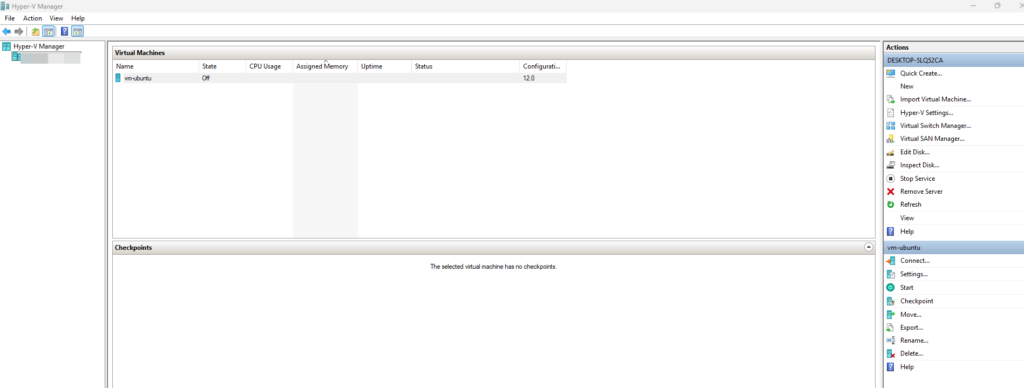
    Microsoft Hyper-V is a built-in hypervisor for Windows (Pro, Enterprise, Education) and Windows Server that lets you create and run virtual machines (VMs). It allows multiple operating systems to run on a single physical machine, making it useful for testing, development, or enterprise virtualization. As a Type 1 hypervisor, Hyper-V runs directly on the hardware, offering features like live migration, high availability, and network isolation. You can manage it using various built-in tools.

    Many users have migrated to Nutanix or VMware, but these platforms are still widely used by companies to create virtual machines, such as for Active Directory. I previously created AD1 and AD2 on the same server to fulfil customer need based on provided hardware.

    Red Hat Enterprise Linux (RHEL)

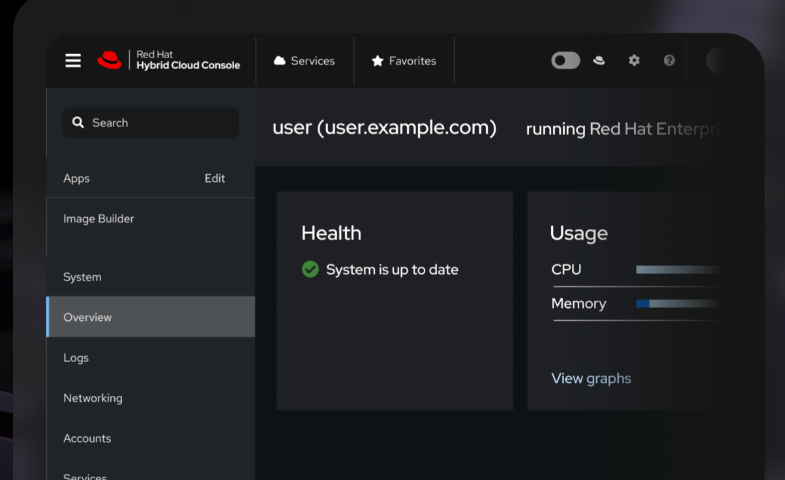
    Red Hat Enterprise Linux (RHEL) is a commercial Linux distribution developed by Red Hat. It’s designed for enterprises and organizations that need a stable, secure, and supported operating system for servers, workstations, and cloud environments. RHEL provides long-term support, regular security updates, and certified software packages, making it ideal for production environments, critical applications, and enterprise workloads.

    I am not very familiar with Red Hat, but I am aware that some users are still renewing their licenses, and certain licenses include direct support from Red Hat.

  • Top picks hypervisor for hosting virtual machine

    A hypervisor is software that allows one physical computer (server) to run multiple virtual machines (VMs) at the same time.

    There are two type of hypervisor :

    1. Bare Metal
    2. Hosted on OS

    Mostly companies will use either VMware, Nutanix, Windows Hyper-V or etc

    There are so many including paid and open-source

    (Bare-metal)

    Nutanix is a technology company that provides a platform to run virtual machines, storage, and networking in a simple, unified system.

    It is best known for hyper-converged infrastructure (HCI), which means:

    It combines compute + storage + virtualization into one easy-to-manage platform.

    But it need its support hardware for it. Need to check with disti for.

    (Bare-metal)

    VMware is a company and a technology platform that allows you to run multiple virtual machines (VMs) on a single physical server now own by Broadcom in November 2023.

    It so simple to do installation which required to install VMware ESXi

    For manage multiple device required installation VMware vCenter.

    Before this VMware also provide free version ESXI which can operate normally but backup

    (Bare-metal)

    Proxmox VE (Virtual Environment) is a free, open-source virtualization platform used to run virtual machines and containers on a server.

    Most popular using for

    Home labs

    Small businesses

    Learning virtualization

    Even company also use it for small system development

    Another alternative for Proxmox is

    (Bare-metal)

    XCP-ng is a free, open-source virtualization platform (hypervisor) used to run virtual machines (VMs) on physical servers.

    It provides Built-in backup support (with Xen Orchestra)
    Active community