The Great Escape (And the Unexpected Return): My Physical Move to Linux on NVIDIA Hardware


Let’s be honest: I don’t love Windows. I don’t like the bloatware, the telemetry, or the way it feels like it’s fighting me for control. As a Network and Server Engineer, I live in terminals and SSH sessions. Naturally, I decided it was time to move my physical machine to the environment I manage: Linux.

I didn’t just use a Virtual Machine. I grabbed a USB stick, backed up my configs, and went for a physical installation on my laptop. I went head-to-head with Linux Mint and Fedora on bare metal. Here is the funny, weird, and brutal reality of a Network Engineer in the “wild.”

1. The “NVIDIA One-Click” Win

On physical hardware, Linux Mint was a dream. Since I’m not here to play games, I just needed my dual-monitor setup and my UI to be snappy.

  • The NVIDIA Success: My NVIDIA GPU worked perfectly. Mint’s Driver Manager gave me a “one-click” suggestion for the proprietary driver. One click, and it was settled. Voom! High-resolution terminal windows everywhere.

2. Fedora: The “Upstream” Rush

Then came Fedora. It’s fast, it’s sleek, and it makes you feel like you’re working on a NASA terminal.

  • The Addiction: I found myself running sudo dnf update every few hours just for that hit of new kernel dopamine.
  • The Reality: For a Server Engineer, Fedora is amazing because it’s so close to RHEL, but on a laptop, it can be a “learning experience” when a new update changes how your hardware behaves.

3. The Headache: The Keyboard Backlight

Here is the part they don’t tell you in the tutorials. My gaming-grade laptop has a specific Keyboard Backlight controller. On Windows, it’s a simple app. On Linux? It was a nightmare. I spent more time digging through GitHub repos and trying to find the right kernel modules to just turn the lights on than I did setting up my web server. On Mint its working but on Fedora i didnt know why.

4. The Secure Boot Trap

If you’re running an NVIDIA card, Secure Boot is your worst enemy. Linux on a modern laptop takes it to a new level. If you have Secure Boot enabled in your BIOS, you can’t just “install” a driver; you have to prove it’s trusted.The Linux Mint Win: I have to give credit where it’s due—Linux Mint makes Secure Boot easy. During the installation, it asks you to set a temporary password. When you reboot, you just enroll the key (MOK), enter that password, and you’re done. It’s a “one-and-done” process that felt almost as smooth as Windows.

The Fedora/Manual Struggle: In contrast, other distros often leave you in the cold. You find yourself manually generating RSA keys and using mokutil in the terminal just to get your NVIDIA GPU to wake up.

The Conflict: The Linux kernel is locked down. When you install the proprietary NVIDIA drivers, the kernel sees them as “untrusted” code.

The Fix: You either have to disable Secure Boot in the BIOS (which feels like a step backward for security) or go through the “ritual” of creating a MOK (Machine Owner Key) to sign the drivers yourself.

The Symptom: You install the driver, reboot, and… nothing. You’re back to a laggy screen because the kernel refused to load the driver.

The Headache: When you install the proprietary NVIDIA drivers, Linux tries to load a kernel module that isn’t “signed.” If Secure Boot is on, your OS will simply refuse to load the driver, leaving you with a black screen or low resolution.


The Final Boss: The “Working Environment”

This is where the dream hit the wall. As a Network Engineer, my “office” is a mix of customer environments and secure tunnels.

  • The VPN Gauntlet: My day-to-day requires FortiClient IPSec and GlobalProtect. On Windows, these are stable, “set-it-and-forget-it” tools.
  • The Linux Struggle: On Linux, getting these specific VPNs to behave with physical hardware—while maintaining split-tunneling and DNS stability—became a second job. I spent more time troubleshooting my own connectivity than I did troubleshooting my customers’ servers.
  • The Productivity Wall: I quickly realized that Microsoft Excel is a non-negotiable. While LibreOffice is great for basic sheets, my work involves Excel Macros (VBA) for reporting and audits. On Linux, Macros are essentially broken. There is no workaround; if you need VBA, you need native Windows.

The Plot Twist: Moving Back to Windows

I’ll be honest: I’ve moved back to Windows. I don’t love it, but in my line of work, the OS is a tool. When I’m in a high-pressure “Network Down” situation, I can’t be fighting with a VPN client or a keyboard backlight. I need my tools to work 100% of the time.


Final Thoughts

I don’t play games, and I still don’t love Windows, but I’ve learned that for a Network Engineer, the “best” OS is the one that stays out of your way during an outage. Linux is my passion, but Windows is currently my most reliable multi-tool.

Few links i refer for guide during my testing. Yeah, i waste my time for my fun because everything i already backup in cloud before change of OS is being run.

Backlight Keyboard : https://novacustom.com/clevo-keyboard-backlight-control-for-linux/

Nvidia installation guide : https://github.com/Comprehensive-Wall28/Nvidia-Fedora-Guide

Why Millions of Anime Fans are Googling Medical Terms Right

Most anime fans are used to googling things like “Power Levels” or “Season 2 Release Date.” But Cells at Work! (Hataraku Saibou) is different. It uses high-level medical terminology as plot points, forcing millions of viewers to hit the search bar mid-episode.

Here are the top terms that sent the internet down a medical rabbit hole.

1. Phagocytosis (The Macrophage’s Secret)

The Anime Visual: A beautiful maid in a white dress swinging a massive, blood-stained executioner’s blade. The Google Search: “What is phagocytosis?” The Reality: It sounds like a dark magic spell, but it’s actually the process where your Macrophages literally “eat” and digest cellular debris and pathogens. The anime’s “cleaning” metaphor is 100% scientifically accurate.

2. Cytokine Storm (The “Code Black” Panic)

The Anime Visual: A literal world-ending disaster where the body begins to destroy itself in a chaotic frenzy. The Google Search: “Cytokine Storm symptoms and causes.” The Reality: This term trended heavily during 2020-2022. It’s when the immune system overreacts so violently that the “defense” becomes more deadly than the virus. The anime portrays this as a total breakdown of communication between cells.

3. Fibrin (The Platelets’ Magic Rope)

The Anime Visual: Adorable kindergarteners using giant yellow rolls of tape to patch up a massive hole in the ground. The Google Search: “Fibrin vs. Platelets” The Reality: Most people know what a scab is, but few knew about Fibrin. It’s the protein fiber that acts like a biological “glue” to trap red blood cells. Seeing the Platelets handle it like a construction project made everyone curious about how their own cuts actually heal.

4. Memory Cells & “The Great Disaster”

The Anime Visual: A panicked cell with a book of “Prophecies” screaming about past disasters. The Google Search: “How do Memory B-Cells work?” The Reality: This is the foundation of how vaccines work. Your Memory Cells literally store “wanted posters” of every virus you’ve ever fought. If the same virus shows up again, these cells recognize it instantly, preventing a second “disaster.”

CharacterReal Life JobWhy We Googled It
Neutrophil (U-1146)First ResponderTo see if they really “leak” through walls (Diapedesis).
NK CellCancer HunterTo find out if we really have “cancer” cells every day.
Mast CellThe “Histamine” RainTo understand why allergies feel like a city being bombed.
Dendritic CellThe MessengerTo see how they “activate” other cells with “photos” (antigens).

The genius of Cells at Work! is that it makes us care about our own health. You don’t feel like you’re studying for an exam; you feel like you’re learning the “lore” of your own body.

Next time you feel a sneeze coming on, just remember: it’s just a bunch of tiny people in your nose launching a “sneeze torpedo” to save your life.

Big World: How I Built My First Django Project using WSL and Ubuntu

On one hand, I love my Windows setup. It’s where my games are, where my Adobe apps live, and where I feel comfortable. On the other hand, every tutorial I watched for backend web development seemed to scream: “You need Linux.”

I wanted to learn Django, the powerful Python framework, but setting it up natively on Windows felt like swimming upstream.

Then I found the bridge: WSL (Windows Subsystem for Linux).

Step 1: Opening the Portal (Installing WSL)

If you haven’t used WSL yet, it feels a bit like magic. It allows you to run a full Linux terminal directly inside Windows. No rebooting, no lag.

I remember opening PowerShell and typing the command that started it all:

wsl –install

My first project wasn’t anything fancy—just a simple blog backend—but the setup taught me more than the code did.

One of the first hurdles was realizing that Ubuntu comes with Python, but usually not the pip (package installer) setup you need immediately. I learned the hard way that you should never mess with the system Python.

I learned the golden rule of Python development: Always use a Virtual Environment.

Bash

# Installing the tools
sudo apt update
sudo apt install python3-pip python3-venv

# Creating my project sanctuary
python3 -m venv my_first_project_env
source my_first_project_env/bin/activate


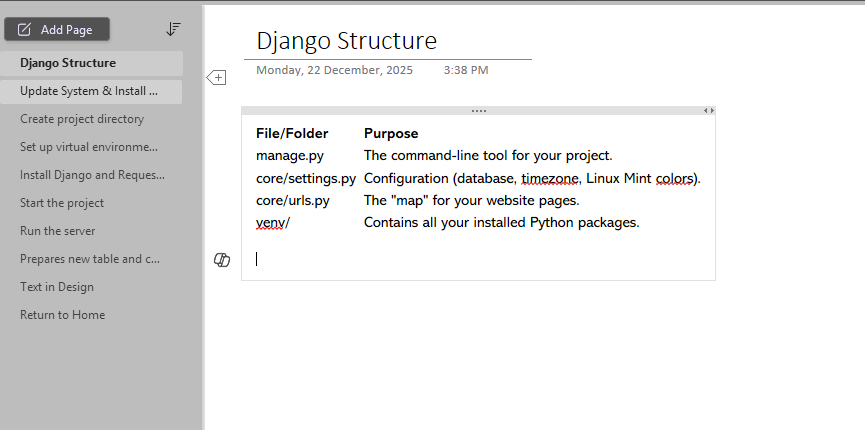
Below screenshot is how i keep my notes for reference

Installing the tools

sudo apt update
sudo apt install python3-pip python3-venv

Creating my project sanctuary

python3 -m venv my_first_project_env
source my_first_project_env/bin/activate

Seeing that little (my_first_project_env) appear next to my cursor was a small victory. It meant I had a sandbox. I couldn’t break my computer even if I tried.

Step 3: Summoning Django

With the environment active, installing Django was a breeze.

Bash

pip install django

Then came the moment of truth. I navigated to my project folder and ran the command to start the project. This is where WSL shines—the file system integration. I could code in VS Code on Windows, while the code actually ran inside the Ubuntu terminal.

I typed:

Bash

django-admin startproject myblog
cd myblog
python3 manage.py runserver

I switched to my browser (Chrome on Windows) and typed in localhost:8000.

The “It Worked!” Moment

If you’ve ever learned Django, you know the screen. The little rocket ship. The text saying “The install worked successfully! Congratulations!”

A Side Note: The “One Click Settle” Envy (Laravel Herd)

While I am proud of learning the command line, I have to admit—sometimes I look at the PHP world with a bit of jealousy.

After finishing my Django setup, I discovered Laravel Herd. If you are into the PHP/Laravel ecosystem, you don’t even need to touch the terminal to get started. It’s basically a “one click settle” solution. You install it, and boom—you have a fast, native development environment ready to go. No sudo apt update, no configuring ports, just instant coding.

It made me realize how diverse the dev world is.

  • WSL is for when you want to understand the engine, get your hands dirty with Linux, and have full control over your Python/Django environment.
  • Laravel Herd is for when you just want to drive the car without opening the hood.

Both are valid, but for my Python journey, taking the “scenic route” with WSL gave me confidence that a one-click installer never could.

Tips for IT Network & Infrastructure Students: How to Stand Out and Succeed

If you’re planning to apply for an internship in IT networking or infrastructure, you’re already on the right track. The industry is always looking for people who understand networks, servers, security, and real-world troubleshooting. But the competition can be tough—so how do you stand out?

Here are the best tips to help you prepare, impress during interviews, and perform confidently during your internship.

Please choose where to do your IT networking or infrastructure internship, many students aim for government agencies because they sound stable and prestigious. However, if your main goal is learning, hands-on experience, and skill development, an SI company is often the better choice.

System integrators handle:

  • Real client projects
  • Network deployments (Here where my skills when i need to replace current network switch where i learn how to read command)
  • Firewall setups
  • Server migrations
  • Troubleshooting across different environments

You’ll get more chances to touch real systems compared to government offices, where interns may only assist with basic tasks.

Many SI companies are partners with vendors like:

  • Fortinet
  • Cisco
  • VMware
  • Microsoft
  • Dell
  • HP

Interns often get access to training or at least exposure to enterprise tools you won’t usually see in government environments.

Government internships often involve:

  • Paperwork
  • Documentation
  • Basic helpdesk tasks

Meanwhile, SIs are technical by nature — meaning most of what you do directly relates to IT networking or infrastructure.

When you perform well during your internship, you increase your chances of being absorbed into the company. Based on my own experience, many companies—especially SI (System Integrator) companies—tend to offer full-time positions to interns if:

  • They see strong potential
  • They have available openings
  • You show good attitude and willingness to learn
  • You can work independently with proper guidance
  • You contribute value to the team
  • You show reliability and professionalism

Internships are not just for learning—they are also a trial period where the company gets to know you, your work habits, and how well you fit into their environment. If you consistently show initiative, ask good questions, and handle tasks responsibly, you become a strong candidate for a permanent role.

FortiGate Firewall? Why i love this firewall

FortiGate is a popular firewall appliance developed by Fortinet, designed to protect networks from cyberattacks, unauthorized access, and harmful traffic. It’s widely used in businesses of all sizes—from small offices to large enterprises—because of its strong security features, fast performance, and easy management

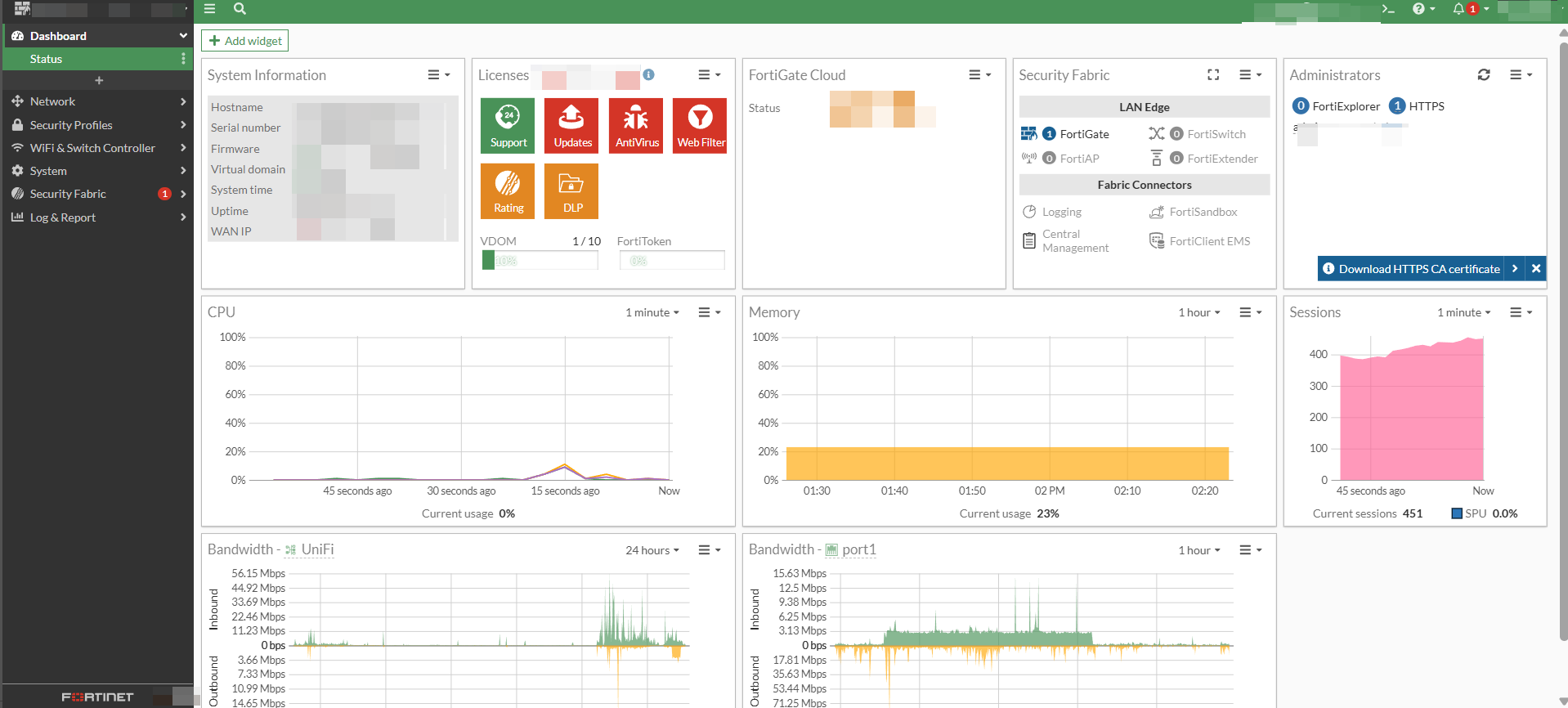
First thing is fortigate dashboard is very easy to understand. Can configure WAN with PPPOE which in Malaysia required vlan 500 for sub interface. There is one Firewall that cannot make direct sub-inferface vlan but that model is very good.

Pricing for fortigate + subscription is not very high which is good for small business to protect its internal network

Fortigate is not only Firewall available in commercial but got other brand

Key Features of FortiGate

  1. Firewall & Access Control

Allows or blocks network traffic based on rules you create.

  1. Intrusion Prevention System (IPS)

Detects attacks and blocks them before they reach your devices.

  1. Web Filtering

Controls access to websites by categories (e.g., social media, gambling, adult content, streaming, etc.).

  1. Antivirus & Malware Protection

Scans network traffic to prevent harmful files from entering the network.

  1. VPN Support

FortiGate supports:

SSL VPN

IPSec VPN

Useful for remote workers connecting securely to the office.

  1. SD-WAN

Helps balance multiple internet connections and improve network performance.